
Your bank account (IBAN)
Add the account your payouts go to, how it is protected, and why withdrawals pause for 48 hours after any change.
In this article
All your payouts reach you by bank transfer to one account you add yourself on the “Balance and payouts” page (titled “My money”). We only ever transfer to that account, and you can add it once your account is active.
Add your bank account
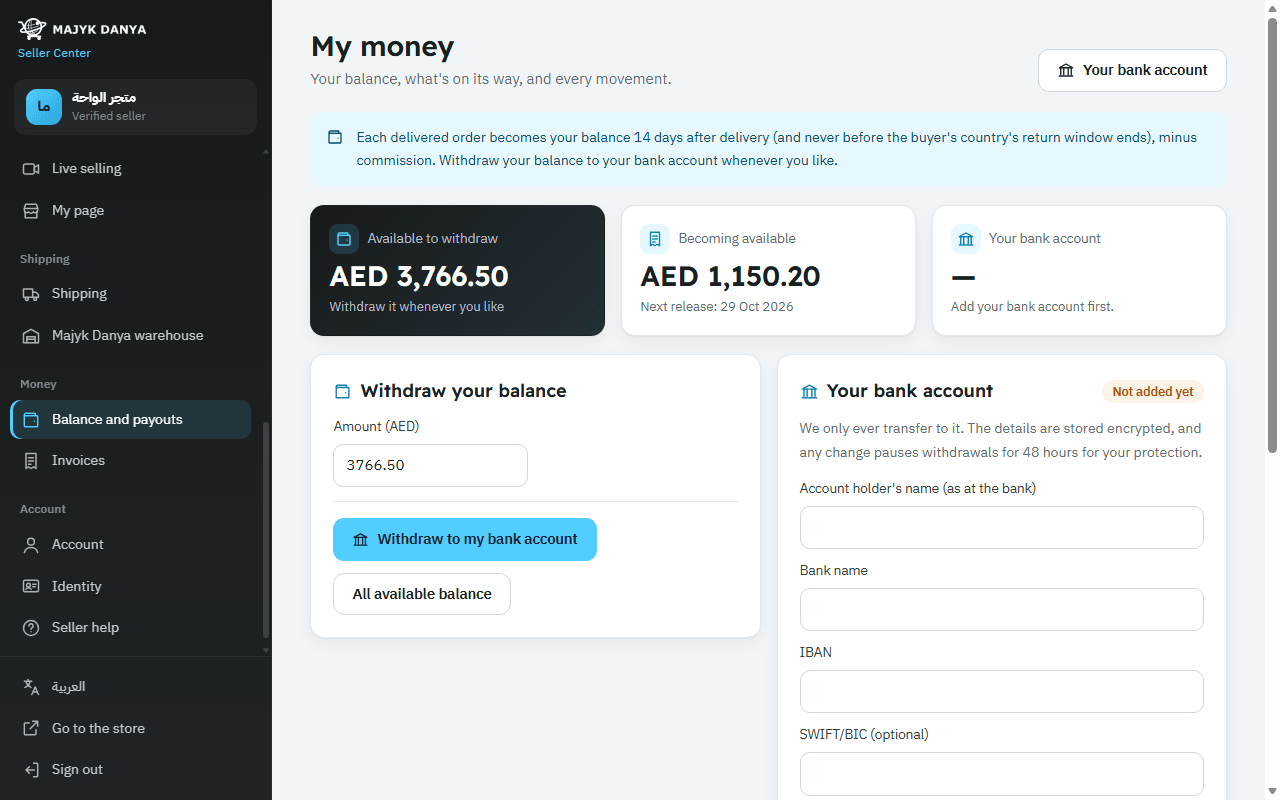
- Open Balance and payouts in the side menu (under “Money”) and go to “Your bank account”.
- Enter the “Account holder's name (as at the bank)” and the “Bank name”.
- Enter the “IBAN”. Spaces are fine, and the number is checked at once.
- Add the “SWIFT/BIC (optional)” if your bank needs it (8 or 11 characters), and choose the “Account currency”.
- Press “Save bank account”. You see “Bank account saved.”, and the current account shows only the bank name and the last 4 characters.
Why withdrawals pause for 48 hours
When you add your bank account for the first time or change it, withdrawals pause for 48 hours, and you see “Withdrawals paused until” with the date.
It protects you: if someone got into your account and switched the IBAN to theirs, you have 48 hours to notice, change your password and contact us before any money leaves.
- Your balance isn't affected: it stays in your account and you withdraw it once the pause ends.
- A withdrawal you requested before the change goes to the account that was saved when you requested it.
- Each new change starts the 48 hours again.
How your bank details are protected
- The details are encrypted as soon as you save them, and the seller center shows only the bank name and the last 4 characters.
- Each change is recorded in an audit log with only the last 4 characters, never the full details.
- Only Majyk Danya's team opens the full details, when making the transfer.
Withdrawing to your account
- Under “Withdraw your balance”, enter the “Amount”, or choose “All available balance”.
- Press “Withdraw to my bank account”. You see “Withdrawal requested. We transfer within two working days.”
- Follow it under “Withdrawals”: “Transferring”, then “Transferred” with the “Transfer reference”. If a transfer fails you see “Failed, money returned to your balance” with the reason.
Each currency has its own balance, and you withdraw each one separately. For when money becomes available, see Getting paid.