
A tour of the seller center
Where everything is: the side menu groups, the cards on your Home page, and the bottom bar on phones.
In this article
The seller center is where you work every day: orders, products, money and settings. Here is a quick tour so you know where everything is, on a computer and on a phone.
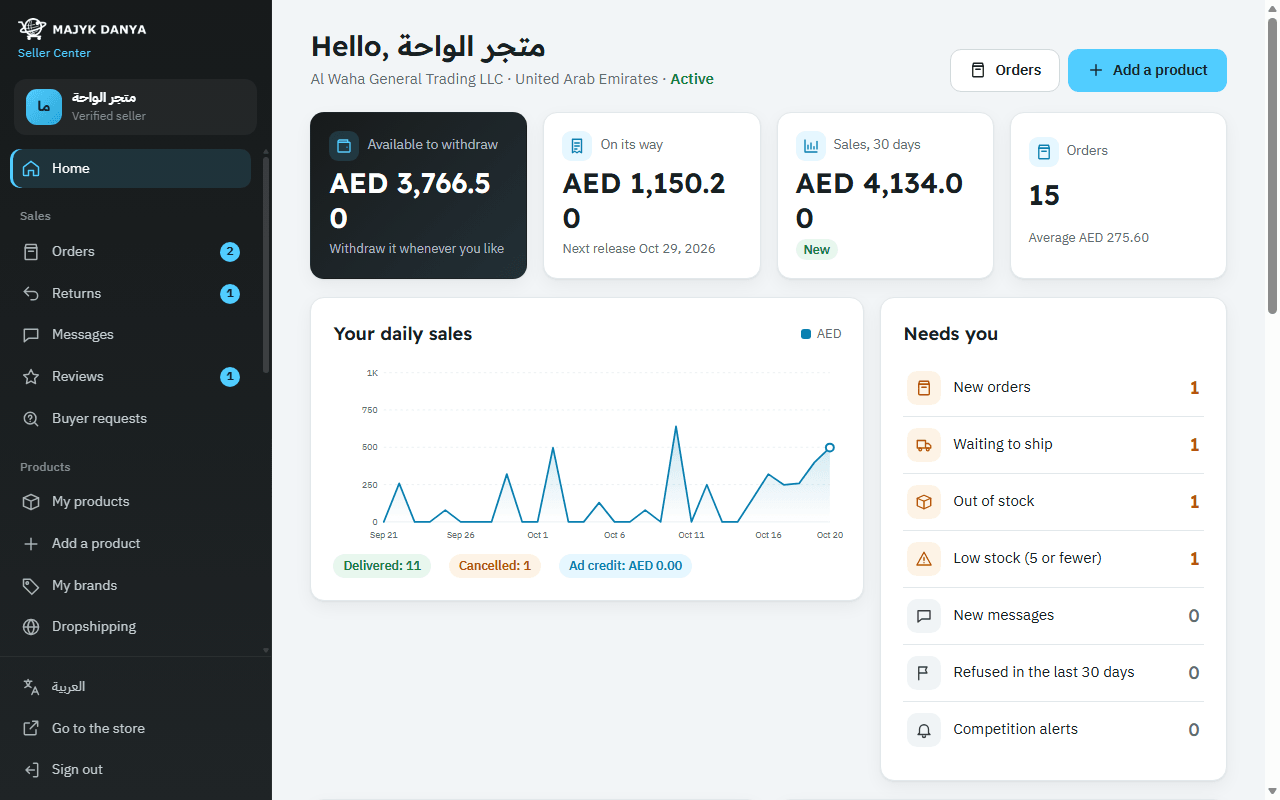
The side menu
On a computer the menu sits at the side of the screen, with pages grouped by task. A number beside a page means something is waiting for you, such as new orders and orders to ship, returns, messages and reviews.
| Group | Pages | What you do there |
|---|---|---|
| (at the top) | “Home” | Your summary and what needs you. |
| “Sales” | “Orders”, “Returns”, “Messages”, “Reviews”, “Buyer requests” | Accept and ship orders, handle returns, answer buyers, their reviews and their requests. |
| “Products” | “My products”, “Add a product”, “My brands”, “Dropshipping” | Your offers, prices and stock, new products, your brands, and importing from suppliers. |
| “Marketing” | “Ads”, “Promotion programs”, “Live selling”, “My page” | Promote your products and your store page. |
| “Shipping” | “Shipping”, “Majyk Danya warehouse” | Your pickup address and courier account, and storing your stock with us. |
| “Money” | “Balance and payouts”, “Invoices” | Your balance, withdrawals and bank account, and your invoices. |
| “Account” | “Account”, “Identity” | Password, security and closing the account, and verifying your identity. |
At the bottom of the menu: the language button (“العربية” or “English”), “Go to the store” to see the store as buyers do, and “Sign out”.
The cards on your Home page
- “Available to withdraw”: what you can withdraw now. Press it to open “Balance and payouts”.
- “On its way”: money from delivered orders still on hold, with the next release date.
- “Sales, 30 days” and “Orders”: with the change against the 30 days before, and the average order value.
- “Your daily sales”: a chart of the last 30 days, with delivered and cancelled orders and your ad credit.
- “Needs you”: new orders, orders waiting to ship, new messages, products out of stock or low (5 or fewer), listings refused in the last 30 days, and competition alerts. Anything with a count comes first.
- “Your account health (last 30 days)”: orders, those not accepted in time, late shipments and your cancellations. See Account health.
- “Your account setup”: two-step sign-in, documents, identity, IBAN, pickup address, returns address and your page's logo, with a “Finish it” link for each missing item, plus your rating and live offers.
- “Latest orders” and “Your best sellers”.
- “Competition alerts”: shown when you lose first place or a rival goes below your lowest price, together with new reviews and new returns. See Alerts and first place.
Before your account is active, the Home page shows only your status, the next step and the “Required documents”.
On a phone
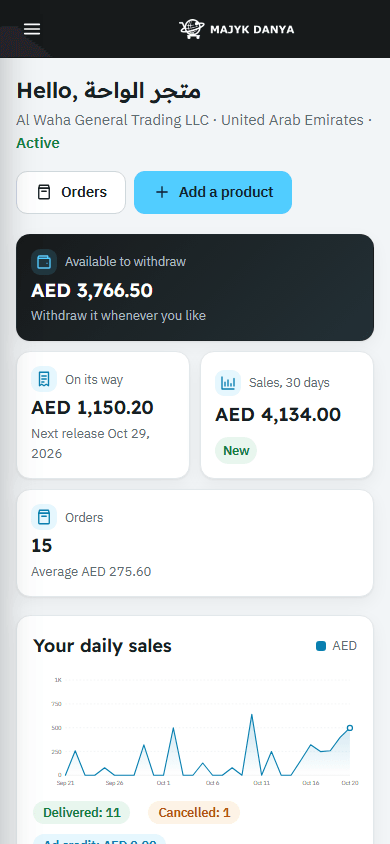
- A top bar with the menu button and the logo. The menu button slides in the same side menu.
- A fixed bottom bar: “Home”, “Orders”, “Products”, “Messages”, and “More”, which opens the full menu.
- Counts show on “Orders” and “Messages” in the bottom bar too.