
Your store page
Your free page on the store, your logo, the monthly company page plan, and the contact-detail checks on text and pictures.
In this article
Every active seller has a free page on the store, which buyers reach from your name on product pages, in the cart and in their orders. Its address looks like shop.majykdanya.com/ae-en/s/your-store, where the first part follows the visitor's country and language. You manage it from My page in the side menu, under “Marketing”.
What the free page shows
- Your logo, or your store name's initials if you haven't uploaded one.
- Your store name with the “Verified seller” badge, plus “Officially verified identity” if you verified your identity.
- Your rating and number of ratings, your country, since when you sell on Majyk Danya, and your number of products.
- All your products on sale in the visitor's country. Wholesale prices show only to verified business buyers.
Your store card, with your logo, may also appear in the sellers section of the store's home page, which shows active sellers with the most products available in that country.
Add your logo
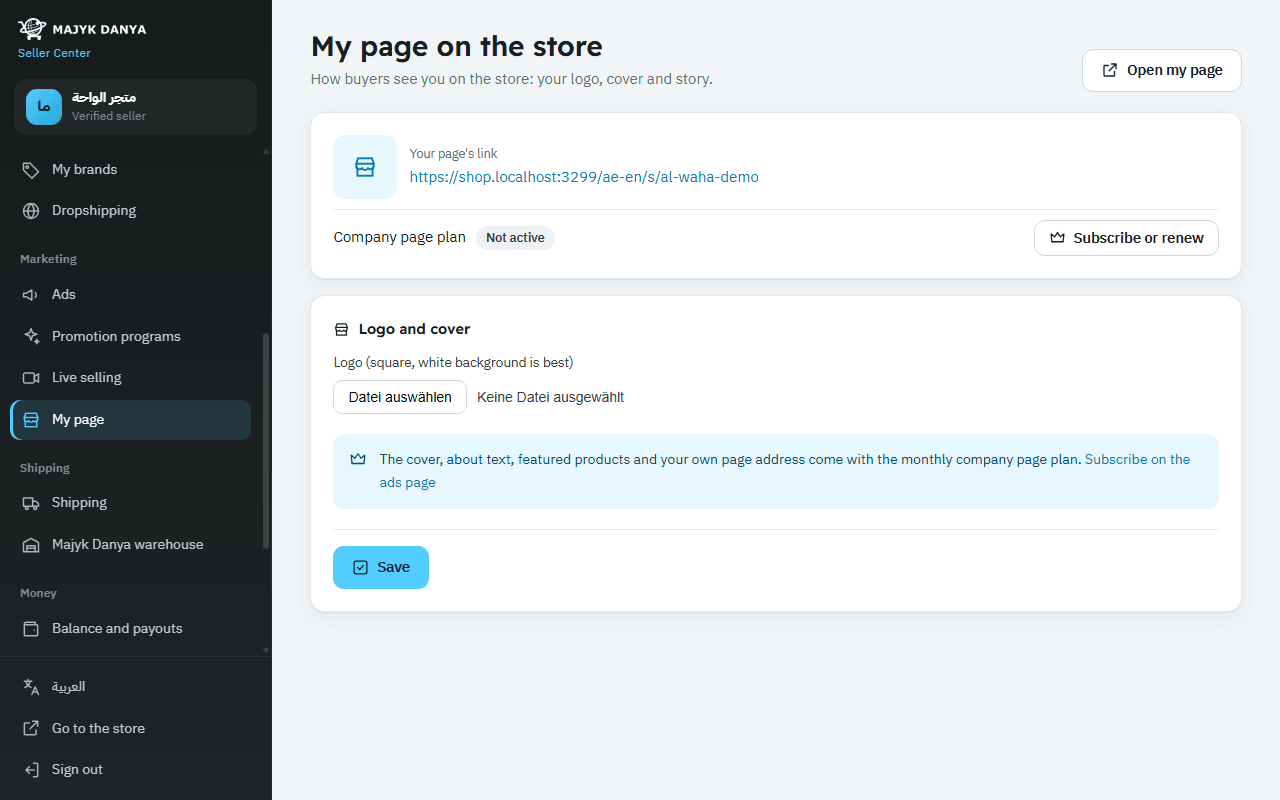
- Open My page.
- Under “Logo and cover”, choose a file for “Logo (square, white background is best)”.
- Press “Save”, then “Open my page” to see it as buyers do.
- JPEG, PNG or WebP, up to 10 MB.
- The picture is scaled to fit a square up to 400×400, and transparent backgrounds become white, so a clear square logo looks best.
- Your page's link is at the top of My page under “Your page's link”, ready to copy and share.
The monthly company page plan
An optional plan that turns your page into a full company page. It adds:
- A “Cover picture (wide)” across the top, cropped to 1600×400.
- “About the company” in Arabic and in English, up to 2,000 characters each.
- “Featured products” at the top, up to 8 of your products.
- Your own page address: lower-case letters, digits and hyphens, 3 to 40 long.
- Open Ads, or press “Subscribe or renew” on My page.
- Under “Company page” you see the monthly price. Choose “Subscribe from my balance” to renew automatically each month from your available balance, or “Pay one month by card” where card payment is open, which covers one month with no renewal.
- Go back to My page, add the cover, the about text and featured products, then press “Save”.
- “Stop renewing” ends renewals; the plan runs to the end of the paid month.
- If your available balance can't cover the renewal, the plan stops and shows “Stopped: the balance wasn't enough”.
- When the plan ends, the cover, about text and featured products disappear; your logo and all your products stay.
Contact-detail checks
Your page is part of the store, and all contact with buyers stays inside the platform. So text and pictures are checked before they are saved:
- Text (the about text, and your store name at sign-up): phone numbers, even in Arabic digits or spelled out, emails, links and web addresses, messaging app names and requests to talk outside the platform.
- Pictures (logo and cover): we read any writing inside the picture in Arabic and English, and check QR codes.
- If anything is found, nothing is saved, you see “Not saved: the text or pictures contain contact details…”, and our team is alerted.
- If a picture can't be checked at the moment, you see “We couldn't check the picture right now. Try again shortly.”