Handling returns
A return's steps in the seller center: arranging collection, receiving and inspecting, refusing with a reason and photos, the buyer's dispute, and the deadlines after which the buyer is refunded automatically.
In this article
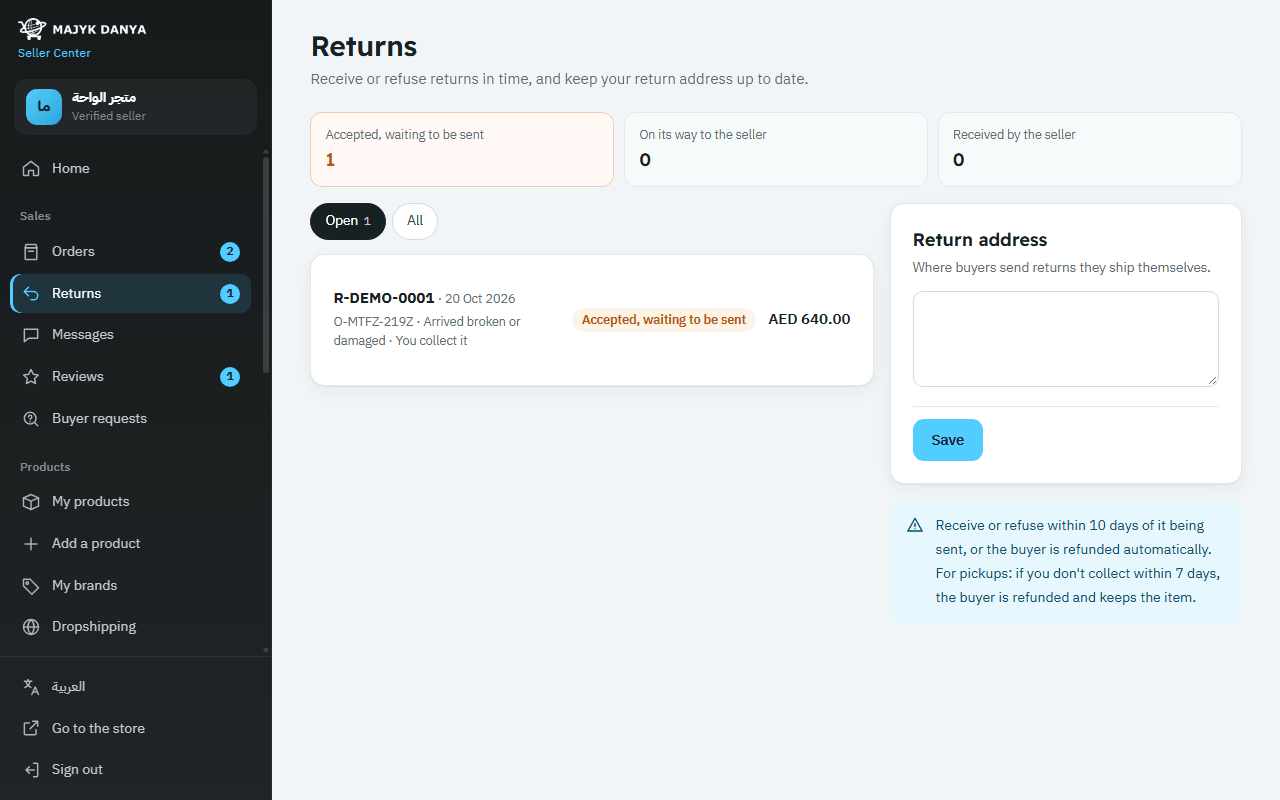
When a buyer opens a return you get a notification, and the return shows with a number starting with R- on the Returns page. Open returns come first, next to the "Return address" card and a reminder of the deadlines.
First: your addresses
In the "Return address" card, write where buyers send returns they ship themselves, and press "Save". Also check your "Pickup address" in Shipping settings: couriers booked through the platform bring returns back there.
Return statuses
| Status | What it means |
|---|---|
| "Accepted, waiting to be sent" | The return is accepted and waiting to be sent |
| "On its way to the seller" | The item is on its way to you |
| "Refunded" | You received it, or a deadline passed, and the buyer was refunded |
| "Refused by the seller" | You refused it after inspection |
| "With Majyk Danya to decide" | The buyer disputed your refusal and the team will decide |
| "Cancelled" | The buyer cancelled it, or didn't send it in time |
When you collect it ("You collect it")
- Open the return. The "Collect from" card shows the buyer's name, phone and address.
- Book a courier under "Book a courier to collect the return" (available with Majyk Danya Express and SMSA when they're connected for that country), or arrange collection your own way. A return label booked on Majyk Danya's account comes off your balance at that courier's fixed return-label price for the country, shown under its name before you book. A courier with no price there can't be booked on our account: arrange the pickup on your own account or with any carrier. Details in Shipping methods.
- If you arranged it your own way, press "Pickup arranged" and add the tracking number and carrier if you have them.
- Do this within 7 days of the return being accepted, or the buyer is refunded automatically and keeps the item.
When the buyer sends it ("The buyer sends it")
The buyer sends the item to your return address and enters the tracking number, and the status becomes "On its way to the seller". You have nothing to do until it arrives.
When it arrives: receive or refuse
- Inspect the item and compare it with the buyer's photos on the return page.
- If it's in sellable condition, leave "Put back in stock" on; otherwise switch it off.
- Press "Received". The buyer is refunded at once.
If the item came back used or damaged by the buyer, or isn't the same item, press "Refuse after inspection" instead of "Received", write the "Reason for refusing" and attach photos of what arrived. Refusing is possible only while the status is "On its way to the seller".
When you book a courier from the return page: for a seller's-fault reason the buyer is refunded at the courier's first scan at the buyer's address; otherwise when the courier delivers the parcel to you. In that case the item isn't put back in stock automatically, so adjust your stock in My products after inspecting it.
The buyer's dispute and the team's decision
After you refuse, the buyer has 7 days to press "I disagree, ask Majyk Danya" and explain why. The status becomes "With Majyk Danya to decide"; the team reviews your reason and photos and the buyer's, then decides: refund the buyer, or "The seller is right". Both sides see the decision on the return page under "Majyk Danya's decision". If the buyer doesn't dispute within 7 days, your refusal stands.
Where the refund comes from
The refund comes off your balance, Majyk Danya's commission on the returned part comes back to you, and a credit note is issued automatically. Details in Refunds and chargebacks.