
Pickup and return addresses
Where couriers collect your parcels, where returns come back, and your company address on invoices.
In this article
The seller center has three addresses, each with its own job. Fill in the pickup and return addresses before your first order; both are items in “Your account setup” on your Home page.
| Address | Where to set it | What it's for | Who sees it |
|---|---|---|---|
| “Pickup address” | Shipping | Couriers collect your parcels from it when you book from the order page, and returns collected from a buyer are delivered to it. | The courier. |
| “Return address” | Returns | Buyers send returns to it when they choose to ship them themselves. | The buyer returning an item that way. |
| “Company address on invoices” | Invoices | Printed on your invoices. | Whoever receives the invoice. |
Pickup address
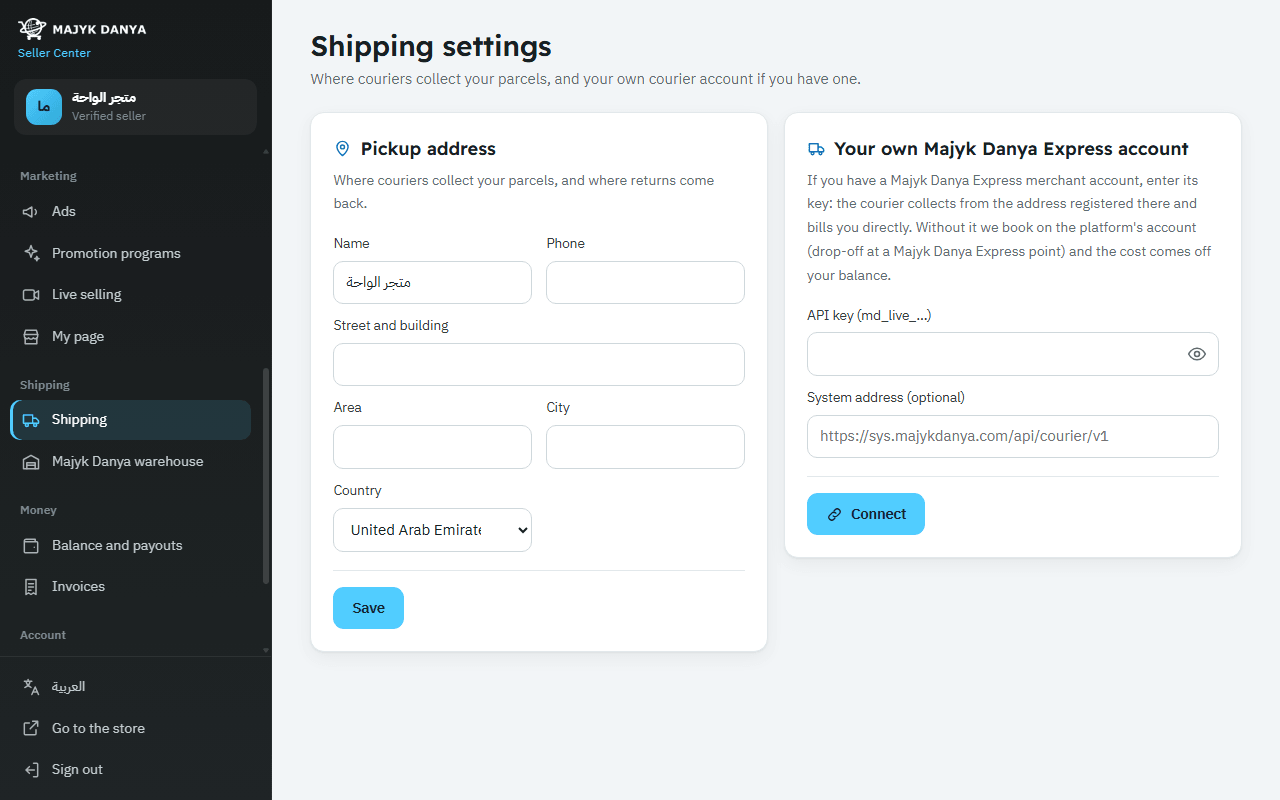
- Open “Shipping” in the side menu (under “Shipping”) to reach “Shipping settings”.
- Under “Pickup address”, fill in “Name”, “Phone”, “Street and building”, “Area” and “City”, and choose the “Country”.
- Press “Save”.
- Booking a shipment with Aramex or SMSA from the order page needs this address; without it, a message asks you to add it first.
- Booking a courier to collect a return from the buyer needs it too, because the return is delivered there.
- Give a phone number someone answers during working hours, as the courier may call it at pickup.
- Orders packed by the Majyk Danya warehouse ship from the warehouse, not from your address.
Return address
- Open Returns in the side menu.
- Under “Return address”, write the full address (up to 400 characters).
- Press “Save”.
- If you leave it empty, buyers can't choose to send a return themselves; only a courier pickup remains.
- Buyers see this address on their return page, so write only the address, with no phone number, email or link.
Company address on invoices
In Invoices, enter the “Company address on invoices” as on your trade licence (5 to 400 characters) and press “Save”. Your tax number comes from your reviewed documents and changes only through our team. See Invoices and VAT.